cflareOps
bearBoy80/cflareOps ↗ ·★ 1 ·TypeScript ·MIT
A self-hosted Cloudflare operations dashboard for managing multiple accounts, Zones, DNS, Workers, Pages and usage analytics behind Cloudflare Access.
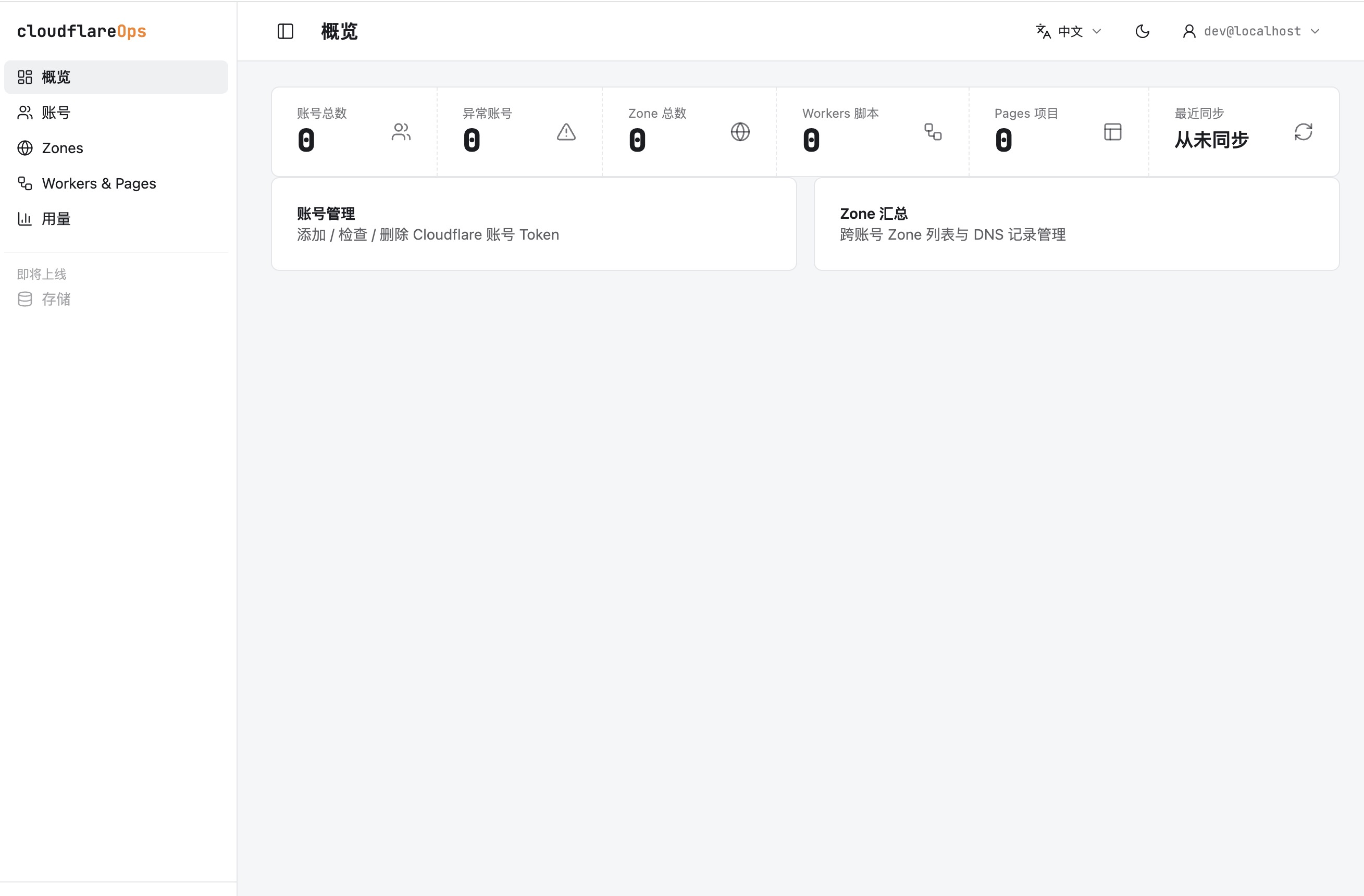
Overview
cflareOps is a self-hosted operations dashboard for people who manage more than one Cloudflare account. Instead of jumping between accounts and product pages, it aggregates Zones, DNS records, Workers scripts, Pages projects and usage data into one bilingual admin interface. The project is especially relevant for free-tier builders because the app itself runs on Cloudflare Pages Functions and D1.
The architecture is a useful example of Cloudflare-native application design. Astro handles the SSR shell, React islands power the interactive management panels, D1 stores cached Cloudflare API data, and API tokens are encrypted before being stored. Cloudflare Access sits in front of the dashboard and supplies the authenticated user email, which the app uses to scope user-owned data.
Deployment follows a standard Pages workflow: create the D1 database, apply migrations, configure the DB binding and production secrets, then deploy the built Astro app to Cloudflare Pages. The important operational step is Access setup, because production requests need valid CF_ACCESS_TEAM_DOMAIN and CF_ACCESS_AUD values before the dashboard will allow users in.
Highlights
- ✓ Multi-account Cloudflare dashboard for Zones, DNS, Workers, Pages and usage analytics
- ✓ Runs on Astro 5 with React islands, deployed to Cloudflare Pages Functions
- ✓ Uses D1 for cached Cloudflare resources and encrypted API token storage
- ✓ Protects the admin UI with Cloudflare Access and per-user data isolation
Best for
- →Operators managing several Cloudflare accounts from one place
- →Teams that want a self-hosted Cloudflare control panel on the free-tier stack
- →Learning how Pages, D1, Access and the Cloudflare API fit together
Getting started
- 1 Clone the repository and install dependencies with pnpm or npm
- 2 Copy the Wrangler and environment examples, then generate an ENCRYPTION_KEY
- 3 Create a D1 database, run migrations and configure the DB binding
- 4 Create a Cloudflare Access application for the Pages domain before production deploy
FAQ
Yes. The app is designed to store API tokens for multiple accounts, verify token health and aggregate account resources into one dashboard.
For production, yes. The dashboard expects Cloudflare Access values and verifies Access JWTs so the admin UI is protected by Zero Trust authentication.
The app is built for Cloudflare Pages Functions with a D1 database. To use it fully, you also need Cloudflare API tokens with the relevant Zones, DNS, Workers, Pages and analytics scopes.
Deploy cflareOps for free
Free-tier platforms that can host this project. Pick one and ship it.