UptimeFlare
lyc8503/UptimeFlare ↗ ·★ 3.7k ·TypeScript ·Apache-2.0
A free, serverless uptime monitoring and status page project on Cloudflare Workers, with D1 storage, geo-specific checks and incident history.
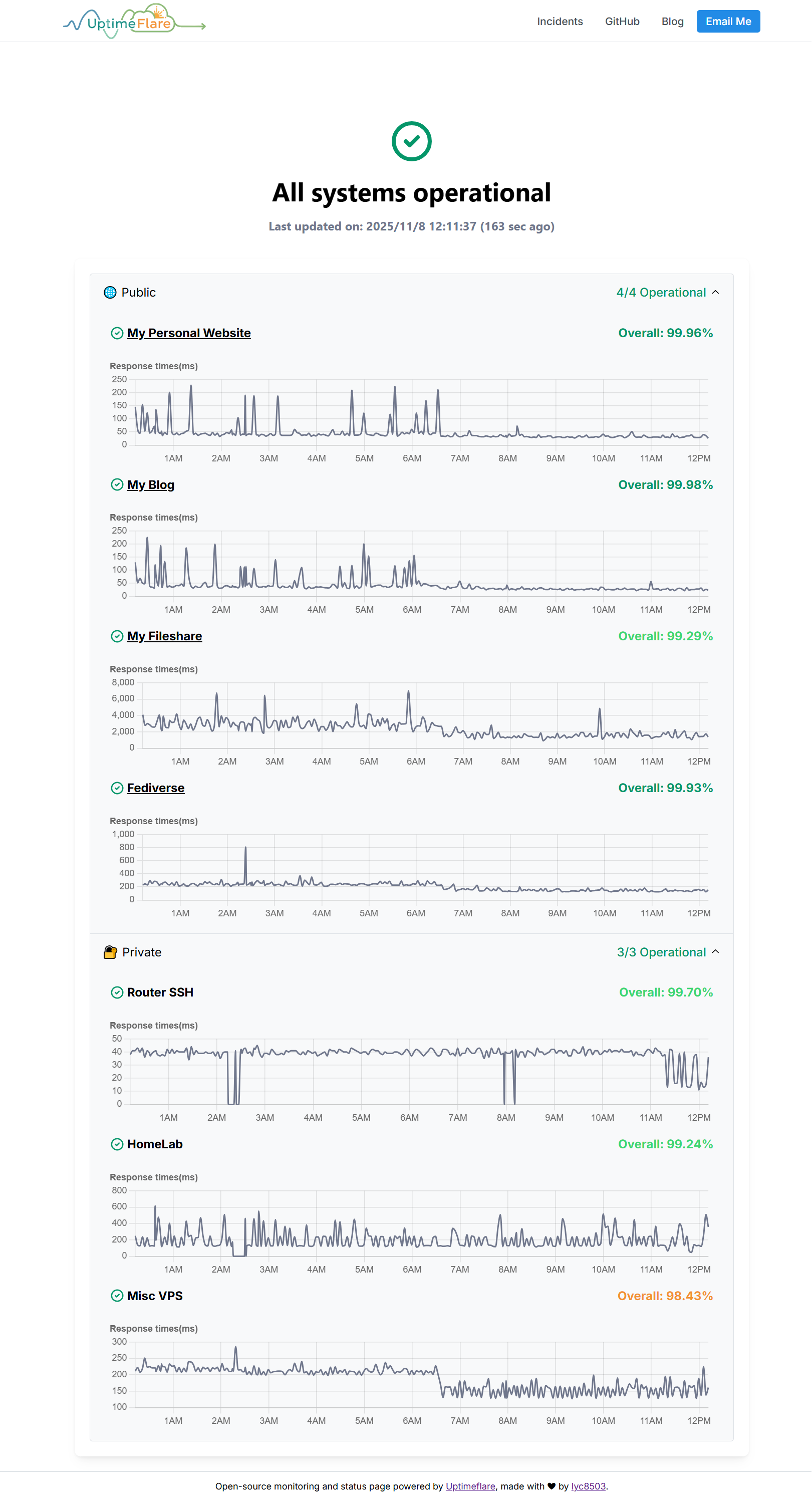
Overview
UptimeFlare is a Cloudflare-native monitoring stack: uptime checks, incident history, status-page UI and notification hooks without running a server. It uses Workers for execution and D1 for stored monitoring data, making it a good fit for small services that need a transparent status page but do not want another hosted monitoring bill.
The feature set is surprisingly complete for a free-tier-friendly project. It can check HTTP, HTTPS and TCP endpoints, customize request methods and headers, validate status codes or keywords, show response-time charts, publish scheduled maintenance windows and send downtime notifications through Apprise-compatible channels. The README also calls out region-specific checks from Cloudflare’s global network.
Because monitoring systems become part of your reliability story, upgrades matter. The project documents a 2026 security advisory affecting older versions and notes the migration from KV to D1. New deployments can start directly on the current D1-backed version, while existing deployments should follow the upgrade guidance before relying on it for public status.
Highlights
- ✓ Serverless uptime monitor and public status page on Cloudflare Workers
- ✓ Supports HTTP, HTTPS and TCP checks with custom methods, headers, bodies and status rules
- ✓ Uses D1 for monitoring data and keeps up to 90 days of uptime history
- ✓ Can send downtime notifications through more than 100 Apprise-compatible channels
Best for
- →Small teams that need a free public status page
- →Indie projects monitoring APIs, websites and TCP ports
- →Learning scheduled Workers, D1-backed state and Cloudflare deployment
Getting started
- 1 Fork the template repository or follow the project's wiki
- 2 Configure monitors, notification targets and status-page settings
- 3 Deploy to Cloudflare Workers and D1
- 4 Point a custom domain or CNAME at the generated status page if needed
FAQ
The README advertises up to 50 checks at 1-minute intervals, with support for region-specific checks across Cloudflare's global network.
No. It supports HTTP/HTTPS checks and TCP port monitoring, plus custom status-code and keyword rules for HTTP targets.
Yes. The README includes a 2026 security advisory and strongly advises affected deployments to upgrade, so users should stay on current versions.
Deploy UptimeFlare for free
Free-tier platforms that can host this project. Pick one and ship it.